10 Signs of Zoom Fatigue and How to Effortlessly Avoid Them

10 Signs of Zoom Fatigue and How to Effortlessly Avoid Them

Written by: Rebecca Philipp

Last Update: 2 September, 2023Read: 5 minutes

In the digital age, remote work and virtual meetings have become the norm, with platforms like zoom fatigue enabling seamless communication and collaboration. However, as our reliance on video conferencing tools increases, so does the prevalence of a new phenomenon: Zoom fatigue.

This condition arises from prolonged and excessive virtual interactions, leading to feelings of exhaustion, burnout, and decreased productivity. In this article, we delve into 10 signs of Zoom fatigue and provide practical tips on how to effortlessly avoid them.

Signs of Zoom Fatigue

1. Physical Zoom Fatigue and Discomfort 

Prolonged video calls can take a toll on your physical well-being. Sitting in the same position for extended periods can lead to discomfort, causing headaches, eye strain, and neck pain. Staring at a screen without breaks can even lead to digital eye strain, characterized by symptoms like dry eyes, blurred vision, and difficulty focusing. To counter this, it's crucial to create an ergonomic workspace with proper lighting and seating. Remember to take short breaks, stretch your muscles, and follow the 20-20-20 rule: every 20 minutes, look at something 20 feet away for 20 seconds to reduce eye strain.

2. Mental Exhaustion 

The mental demands of virtual meetings can be overwhelming. Constantly being "on" requires heightened attention, quick reactions, and the processing of information in real-time. This cognitive load can lead to mental zoom fatigue and burnout. To combat this, set clear boundaries for your virtual interactions. Schedule breaks between meetings to recharge and engage in activities that allow your mind to rest. Implement mindfulness techniques, like deep breathing or meditation, to manage stress and mental exhaustion.

3. Lack of Nonverbal Cues 

Nonverbal cues are vital for effective communication, as they convey emotions and attitudes that words alone cannot express. Unfortunately, video calls may not accurately transmit these cues, leading to misinterpretations or misunderstandings and promote zoom fatigue. To address this challenge, encourage participants to use verbal cues to clarify their emotions or reactions. Employ emojis or gestures to supplement your communication and enhance understanding.

4. Reduced Engagement 

Virtual meeting zoom fatigue can lead to reduced participant engagement. The absence of in-person interactions may tempt attendees to multitask or zone out during calls. This disengagement diminishes the overall effectiveness of the meeting and hampers collaboration. To maintain engagement, establish clear meeting objectives and agendas. Foster an inclusive environment where everyone's opinions are valued. Encourage active participation by asking questions, seeking input, and creating interactive elements during the meeting.

5. Meeting Zoom Fatigue 

Back-to-back virtual meetings can be draining, leaving participants with limited time for focused work. The continuous switch between different meetings without sufficient breaks can lead to meeting zoom fatigue. Combat this by scheduling shorter, more focused meetings that adhere to a clear agenda. Incorporate buffer time between meetings to allow attendees to mentally transition and recharge. Additionally, use asynchronous communication methods for non-urgent discussions to reduce the frequency of virtual meetings.

6. Screen Overload 

Constant exposure to screens during virtual meetings and regular work tasks contributes to digital overload. The inability to disconnect from digital devices can lead to stress, eye strain, and a sense of always being "on." Establish screen-free periods in your daily routine to reduce screen time. Engage in activities that promote relaxation, such as reading a physical book, taking a walk, or practicing a hobby that doesn't involve screens and reduce zoom fatigue.

7. Distractions at Home 

Remote work environments come with their own set of distractions, including household chores, family members, or pets. These distractions can hinder your focus during virtual meetings and decrease your overall productivity. Create a dedicated workspace that minimizes potential distractions. Communicate your work schedule with family members and establish boundaries to ensure uninterrupted meeting time.

8. Reduced Social Interaction 

Lack of in-person interactions can lead to feelings of isolation and loneliness. Virtual meetings lack the spontaneous social interactions that occur in physical workplaces, such as casual chats by the water cooler or impromptu discussions. To counteract this, allocate time for virtual coffee breaks or informal chats. Make an effort to check in with colleagues beyond work-related discussions to maintain a sense of connection.

9. Cognitive Load of Technology 

Navigating various virtual platforms and features can add an extra layer of cognitive load, causing stress and reducing your ability to focus on the meeting's content. To address this, familiarize yourself with the technology before the meeting. Practice using the platform's features and ensure your setup is functional. Limit the use of unnecessary features that may contribute to cognitive overload.

10. Unstructured Communication 

Virtual meetings might lack the casual chit-chat and small talk that naturally occur before or after in-person meetings. This unstructured communication plays a significant role in team cohesion and relationship-building. Begin meetings with icebreakers or casual conversations to replicate these interactions virtually. Consider setting aside time at the end of meetings for open discussions or check-ins to maintain a sense of camaraderie.


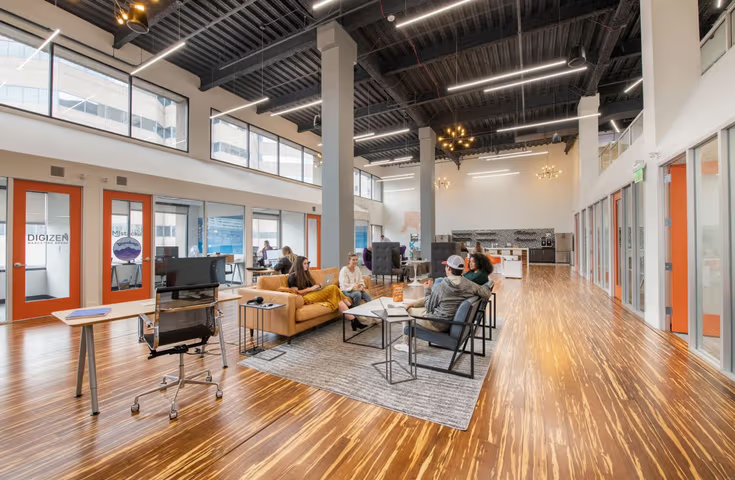
Sitting in the same position for extended periods can lead to discomfort, causing headaches, eye strain, and neck pain.
image

Effortless Tips to Avoid Zoom Fatigue

1) Create a Comfortable Workspace 
Set up an ergonomic workspace with proper lighting and comfortable seating to reduce physical zoom fatigue during video calls.

2) Limit Meeting Duration 
Keep meetings concise and focused, setting clear agendas and time limits to prevent mental exhaustion.

3) Practice the 20-20-20 Rule
Every 20 minutes, take a 20-second break and focus on something 20 feet away to reduce eye strain.

4) Encourage Camera Breaks
Allow participants to turn off their cameras periodically to give their eyes and minds a rest and reduce zoom fatigue.

5) Use Audio-Only Meetings
Not all interactions require video. Consider switching to audio-only calls for less intensive discussions.

6) Implement Meeting-Free Periods
Designate specific time slots in your schedule as meeting-free to allow for uninterrupted focus and deep work reducing zoom fatigue.

7) Establish Communication Norms
Clearly define when cameras are necessary and when they can be turned off, reducing the pressure to be "on" at all times.

8) Establish Communication Norms
Clearly define when cameras are necessary and when they can be turned off, reducing the pressure to be "on" at all times.

9) Break Up the Day 
Balance virtual interactions with offline tasks, exercise, and breaks to prevent screen overload.

10) Foster Informal Connections
Schedule virtual coffee breaks or informal chats to replicate the casual interactions of a physical workspace.

11) Use Asynchronous Communication
Consider using tools like email or messaging platforms for non-urgent discussions, reducing the cognitive load of real-time interactions.

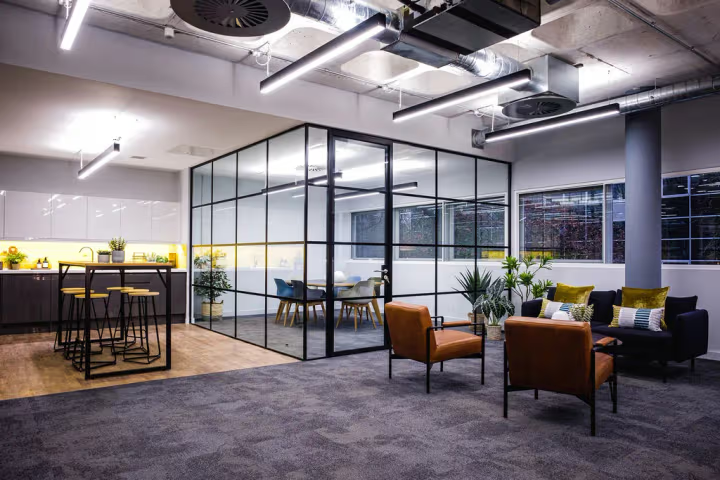
Every 20 minutes, take a 20-second break and focus on something 20 feet away to reduce eye strain.
image

Check Workspaces for Rent in London


Considering the challenges of remote work and virtual collaboration, Zoom fatigue is a real concern that can impact well-being and productivity. By recognizing the signs and implementing these effortless strategies, individuals and teams can strike a healthy balance between virtual interactions and focused work, ensuring a more sustainable and fulfilling remote work experience.

Remember, every person's experience with Zoom fatigue may vary, so it's essential to remain attentive to your own well-being and adjust your approach as needed.

Ready to Elevate Your Workspace? Discover Flexible Solutions with Office Hub

Office Hub understands the importance of finding the right workspace that aligns with your business goals. Whether you're seeking a private office, a coworking space, or a shared workspace, Office Hub offers a curated selection of options to meet your needs. Explore the possibilities today and take a step toward unlocking a workspace that enhances your productivity and propels your business forward.

As you embark on the journey of finding the ideal workspace, remember that the right environment can shape your business's trajectory. Whether it's a vibrant coworking spaces community or a serene private office, the choice is yours. Make the most of the flexible workspace revolution with Office Hub and discover a space that empowers your business to thrive.

Rebecca Philipp
Rebecca Philipp
ABOUT THE AUTHOR
Rebecca Philipp
Rebecca Philipp is a dynamic leader passionate about building bold, innovative brands that spark growth and inspire change. As the heart of the team, Rebecca fosters a positive workplace and empowers every member to thrive—earning her the title of "The Queen" with pride.

We are the UK's No. 1 marketplace for serviced, coworking, and shared office space.

Connect with our local experts for flexible workspace solutions across the UK. Get personalized recommendations, arrange tours, and secure the best deals — all at no cost.

Office Hub team memberOffice Hub team memberOffice Hub team memberOffice Hub team member

Talk to our Experts directly

020 3808 7222

Latest News

Explore trends, data, and tips shaping the UK’s dynamic office market

9 Best Serviced Offices in Bromley

9 Best Serviced Offices in Bromley

Daniel Lange9 July, 2026
5 Best Coworking Spaces in Leeds

5 Best Coworking Spaces in Leeds

Daniel Lange8 July, 2026
13 Best Office Spaces in Soho to Rent

13 Best Office Spaces in Soho to Rent

Soho workspaces look like the perfect choice on paper for creative businesses: a central address, strong transport links, clients nearby, an... Read more
Angeline Suriaatmaja7 July, 2026
City vs Suburban Offices in the UK: What Works Best for Growing Teams?

City vs Suburban Offices in the UK: What Works Best for Growing Teams?

Office Space in London can help you win a client meeting on Monday and make half the team question the commute by Friday. Hybrid work has ch... Read more
Angeline Suriaatmaja29 June, 2026
The Rise of Flexible Workspace in the UK: What's Driving Demand in 2026?

The Rise of Flexible Workspace in the UK: What's Driving Demand in 2026?

For UK businesses, the office decision keeps becoming harder to get right. A company may want a London base for clients, a regional hub clos... Read more
Angeline Suriaatmaja24 June, 2026
12 Best Serviced Offices in West London under £1000/desk/month

12 Best Serviced Offices in West London under £1000/desk/month

West London is becoming harder to treat as one office market and it’s no longer just the practical office space alternative to Central Londo... Read more
Rebecca Philipp24 June, 2026
14 Best Office Spaces in South London

14 Best Office Spaces in South London

Rebecca Philipp23 June, 2026
How to rent office space in London (a step-by-step guide)

How to rent office space in London (a step-by-step guide)

If you're looking to rent office space in London, it's easy to see why. The city gives businesses access to one of the strongest tal... Read more
Miles Anderson16 June, 2026
24 Best Coworking Spaces in London for Startups, Hybrid Teams and Growing Businesses

24 Best Coworking Spaces in London for Startups, Hybrid Teams and Growing Businesses

From the startups and tech firms of Shoreditch to the financial institutions of the City and global businesses in Canary Wharf, London's... Read more
Rebecca Philipp3 June, 2026
6 Best Coworking Spaces in Wales for Startups and Small Teams

6 Best Coworking Spaces in Wales for Startups and Small Teams

Finding the best coworking space in Wales is no longer just about affordability. For many startups and small teams, it’s about finding a wor... Read more
Rebecca Philipp3 June, 2026
13 Best Office Spaces for Rent in Moorgate, London and Nearby Areas

13 Best Office Spaces for Rent in Moorgate, London and Nearby Areas

Moorgate has become a practical sweet spot for businesses that want City credibility, strong transport access, and a workday that does not f... Read more
Angeline Suriaatmaja15 May, 2026
Breaking New Ground: Inventory Integrations That Change Everything

Breaking New Ground: Inventory Integrations That Change Everything

In the flexible workspace game, speed and accuracy matter. Outdated listings, incorrect availability, and manual updates don’t just slow you... Read more
Rebecca Philipp11 May, 2026
5 Best Coworking Spaces in Epsom

5 Best Coworking Spaces in Epsom

Revamp your working style and gain a competitive advantage without paying a hefty amount. But how? By leasing coworking spaces in Epsom thro... Read more
Rebecca Philipp4 March, 2026
A Guide to Managed Offices in Manchester: Premium Solutions for Every Business

A Guide to Managed Offices in Manchester: Premium Solutions for Every Business

Manchester has firmly established itself as one of the UK’s most dynamic business hubs with a strong commercial heritage, thriving innovatio... Read more
Grant Philipp29 January, 2026